
You can design and create your own professional Business Cards from the comfort of your home or office many of the free online tools available. When choosing which tool to use, it’s important to consider what the website will offer (can you order prints online from the same website? Are they prepared to deliver your business cards to you?).
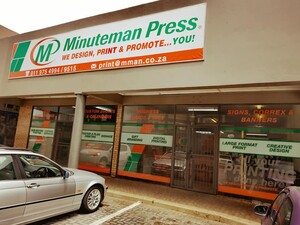
Minuteman Press is considered one of the best online business card printers. Their online design tool makes designing and ordering business cards quick and easy.
Follow these five basic steps to design your business cards:
- Visit Minuteman Press’ online design website. Here you will be prompted to select your city and region. After selecting the above variables you will be taken to a webpage which is for that particular region.
- Now you need to select from different kind of business cards available such as Magnetic Business card or Raised Print Business Card. Choose your favourite one. Now you can start choosing the basic design template for your business cards.
- After choosing the template and colours, you will be taken to a page where you can enter the information about your business, contact details, mailing address etc and also upload your logo or make any minor changes to your design. Type all the required information into the dedicated Boxes.
- On next page you need to select delivery options, quantity of cards and specify your billing details.
- Congratulations you have finished the procedure and soon you will get your newly designed business cards!
Minuteman Press makes designing business cards easy – create your own business cards on our website today!
Get a Free Quote for Boxes Get a Free Quote for Business Cards Get a Free Quote for Print